
Copy the public post link
Open the Twitter/X post with a video, tap the share/export icon, and choose Copy link.
Download videos, GIFs, and images from public Twitter/X posts.
Downloads come directly from X. Your browser may save the file or open it in a video player. If it opens, use right-click, long-press, or the browser menu to save it.
Copy the public post link from X, paste it into DownXVideo, then save the available MP4 option.
Open the Twitter/X post with a video, tap the share/export icon, and choose Copy link.
Paste the x.com or twitter.com status link into the input box and click Download.
Select an available MP4 option. If the video opens in a new tab, use your browser save action.
DownXVideo is a Twitter/X video downloader for public posts. Paste a tweet, x.com, or twitter.com status link, and the tool will parse the page for available MP4 video options.
You do not need to register, install an app, or sign in with your X account. DownXVideo does not host or save video files, and it does not create a download history.
Use it for videos you own, have permission to save, or are otherwise allowed to download. Private posts, DMs, deleted posts, and restricted media are not supported.
Use the same public Twitter/X post link on iPhone, Android, PC, or Mac. Follow the quick visual guide that matches your device.
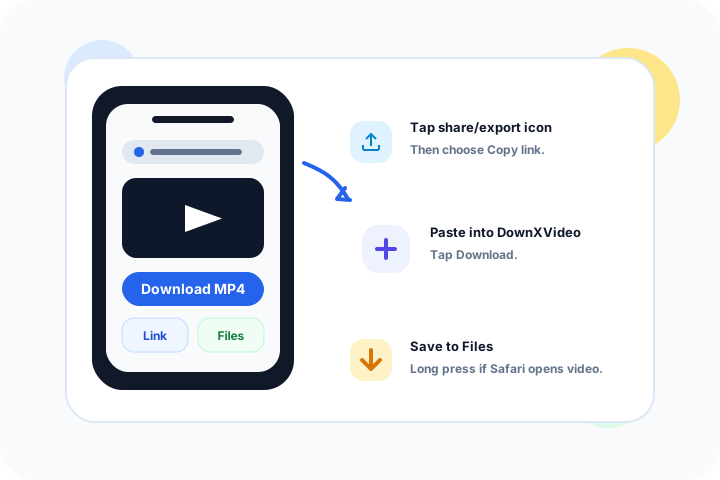
Check the Files app or Safari downloads list after saving.
Read guide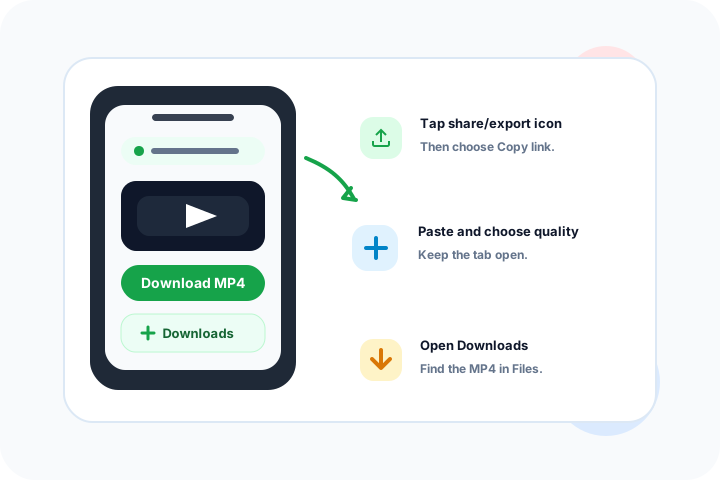
If the video starts playing, use the browser menu or long press the link to save it.
Read guide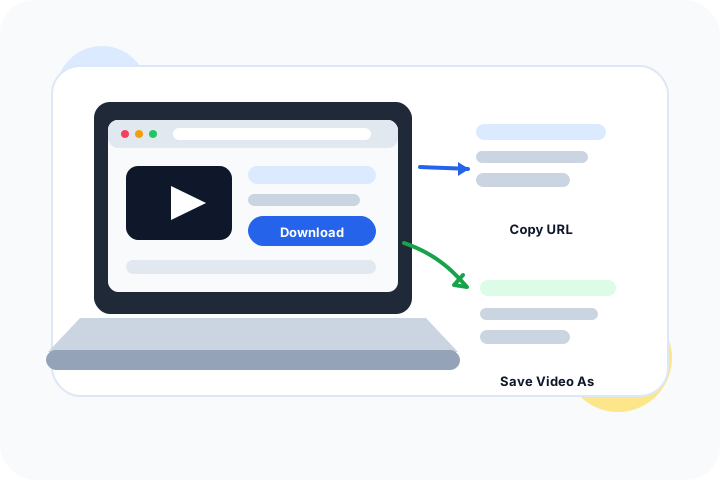
Desktop browsers are usually easiest for large files and repeated downloads.
Read guideNo. DownXVideo only supports videos from public Twitter/X posts.
A link may fail if the post is private, deleted, restricted, has no supported video, the media URL expired, or the resolver is temporarily rate limited.
No. DownXVideo does not save video files or create a download history. It only uses public media information needed to help your browser save the file.
The website works without an extension. For large or repeated downloads, the optional DownXVideo extension can download directly in your browser. DownXVideo never asks for your X password.
No account history is created. Submitted links, downloaded files, and download history are not saved, and analytics do not record full post URLs.
No. Never enter X credentials, cookies, access tokens, or private account data. Only public x.com or twitter.com post links are accepted.
Files up to 500 MB normally download in the browser. Larger files and direct-link fallbacks may open as MP4; use Share, Save to Files, or long press.
Most Android browsers save MP4 files to Downloads. Check the Files app or your browser download list.
After opening an MP4 on Mac or PC, use the download prompt or right click the player and choose Save Video As.
Only save videos you own, have permission to use, or are otherwise allowed to save. Respect copyright, creator rights, and platform terms.
DownXVideo sends the original X media link directly to your browser and does not relay the file through a download server. X response headers and your browser decide whether the file downloads or opens in a player, and the website cannot reliably detect the result. If a player opens, use right-click, long-press, or the browser menu to save the video. For a more consistent native download experience, try the browser extension.